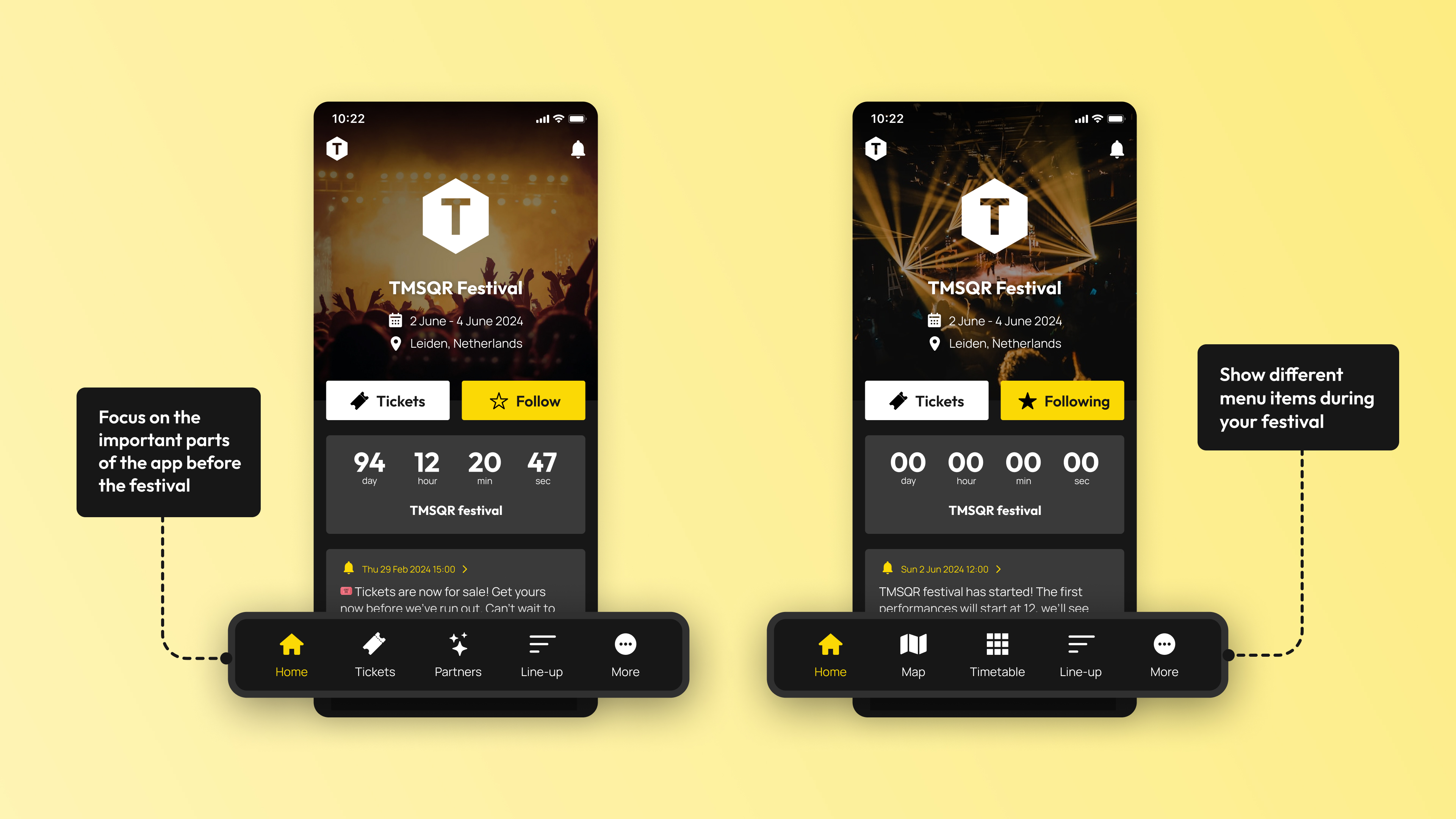
The bottom bar is the primary navigation menu in your festival app. Since every festival is different, the bottom bar can be fully customized by the festivals themselves. And the great thing is that you can change it whenever you want; we can well imagine that before the festival, you might want to give the ticket button a prominent place, and during the festival itself, the interactive map button and timetable button.
October 29, 2024 Feature
TMSQR highlighted feature: Adjustable bottom bar
Not the most 'sexy' feature of the app, but a feature that offers an incredibly wide range of possibilities is the customizable bottom bar. Read more about it!
Bottom bar
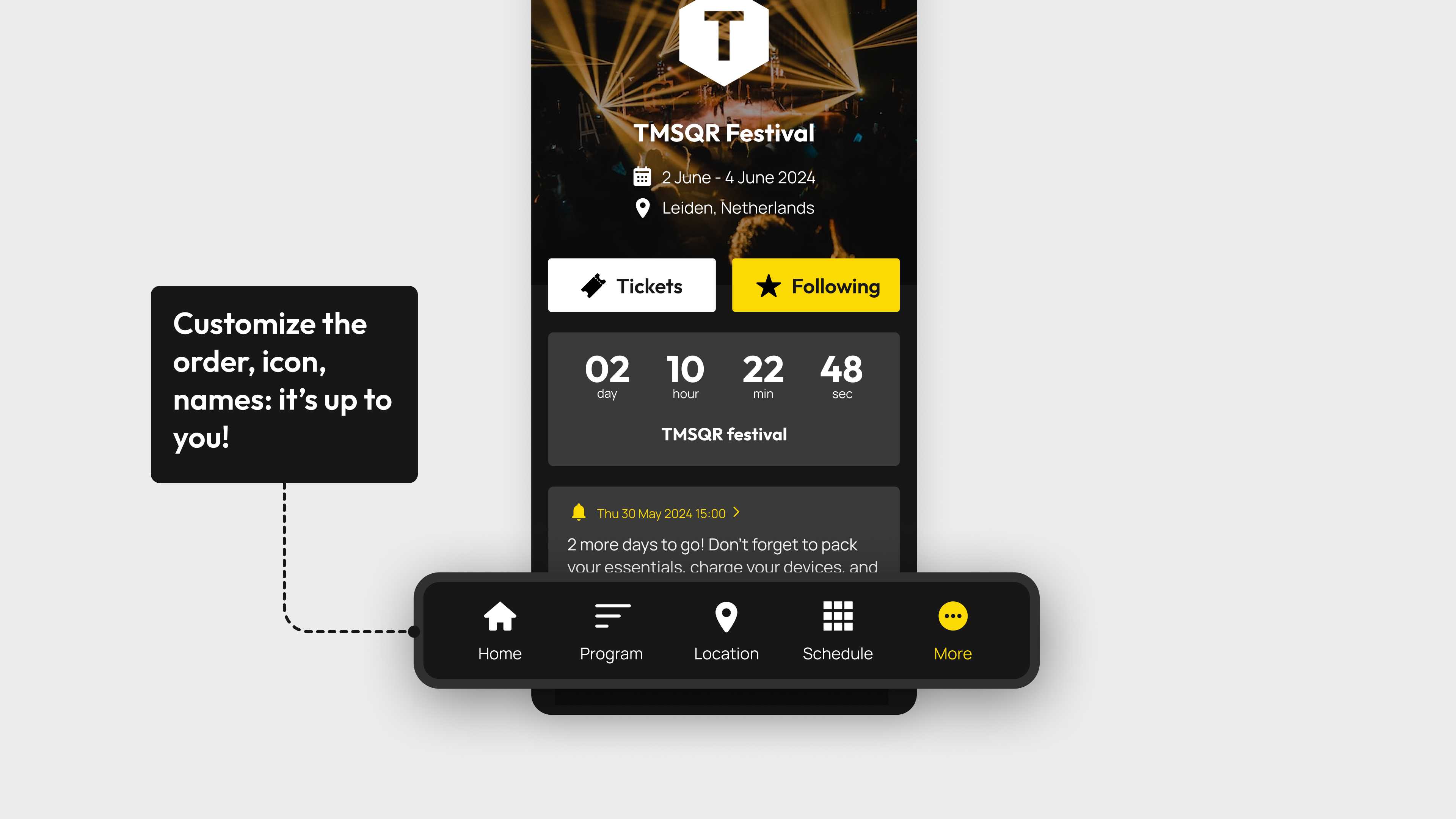
Customize your bottom bar with the CMS
It is possible to set up the bottom bar with the buttons you want. You can link these buttons to standard parts of your TMSQR festival app, such as the timetable, the map, or the lineup. But you can also link the buttons to pages you have created yourself, and even to external web pages (such as ticketing) that we open in the app.
As explained above, this feature also allows you to set up the app differently before, during, and after the festival, just as is possible with the Dynamic Homescreen. This way, your festival app evolves with the phase your festival is in, and you can optimally serve interested parties and visitors. We are happy to help with this!
Are there features you're missing?
Contact us and we would be happy to discuss how we can make the TMSQR app technology as suitable as possible for your festival.