April 12, 2025 Feature

TMSQR highlighted feature: Dynamic home screen

One of the features that we are constantly improving is the 'Dynamic home screen'. Over the years, we have made it increasingly powerful and flexible.

Dynamic & fully adjustable

The home screen is the first page of your app that visitors see. And since 'you can only make a first impression once', that screen needs to be perfect and fully customizable to suit any type of festival. That's why we are continuously expanding the options to give you full control, before, during, and after the festival.

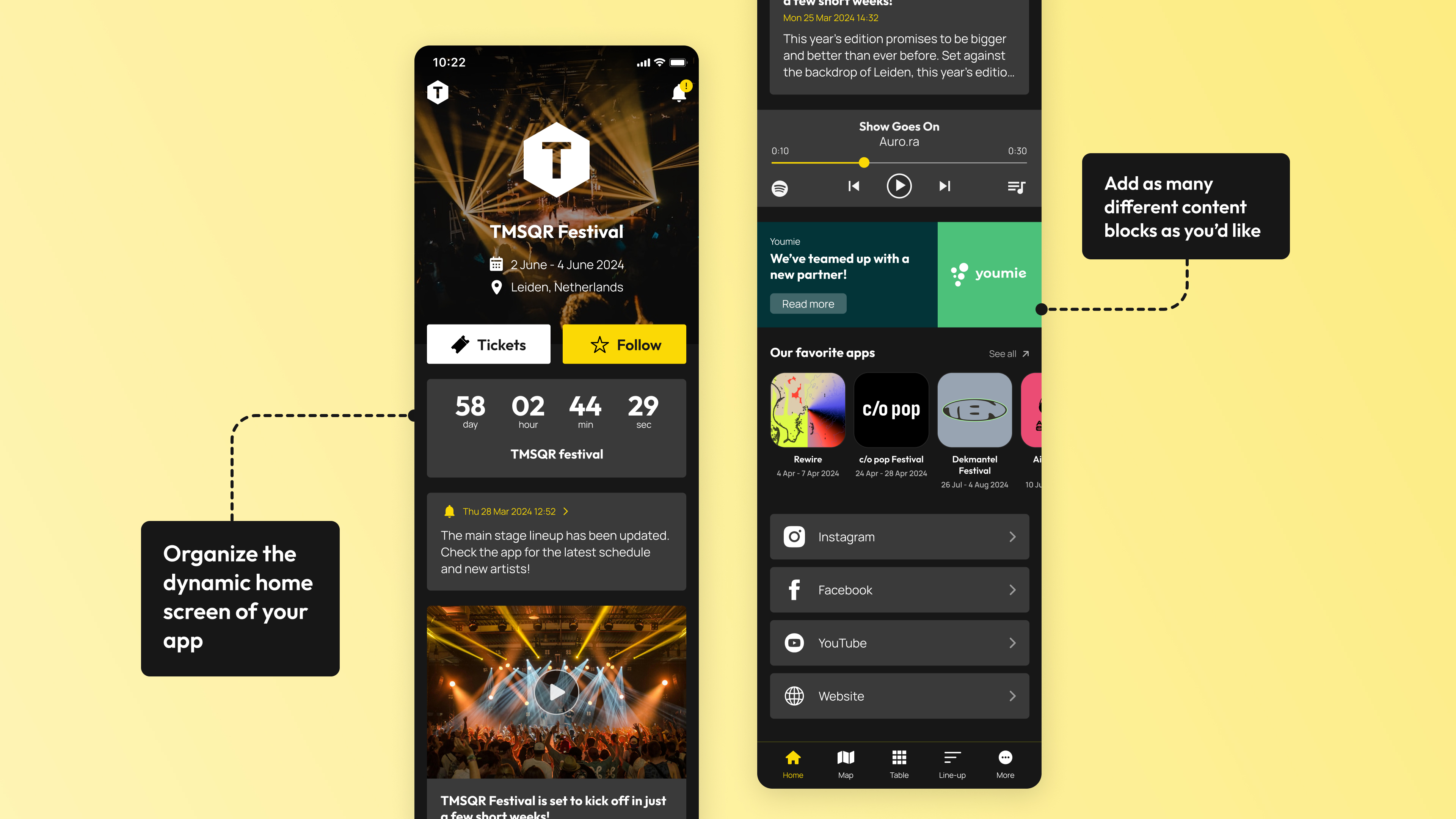
With the TMSQR CMS, you can personally customize the home screen of your app. You can choose from a range of options to customize the home screen of your festival app. And the beauty of it is that you can always change it, because before the festival you might want to emphasize different information than during the festival. Just like with our Adjustable bottom bar.


Below are some of the types of blocks / options that you can place on the home screen, and arrange in the order you prefer, and change when you want. 
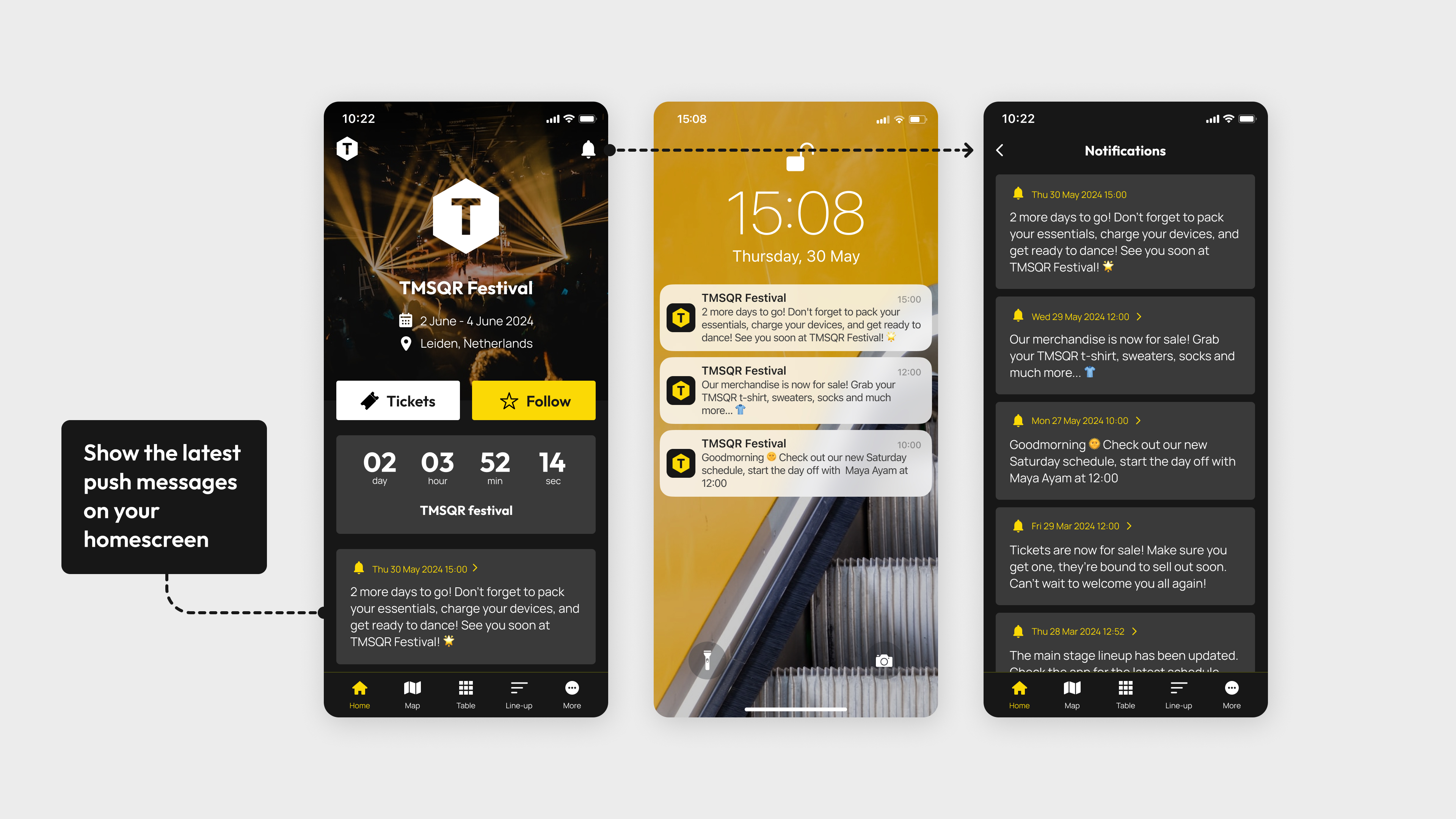
1. Countdown timer

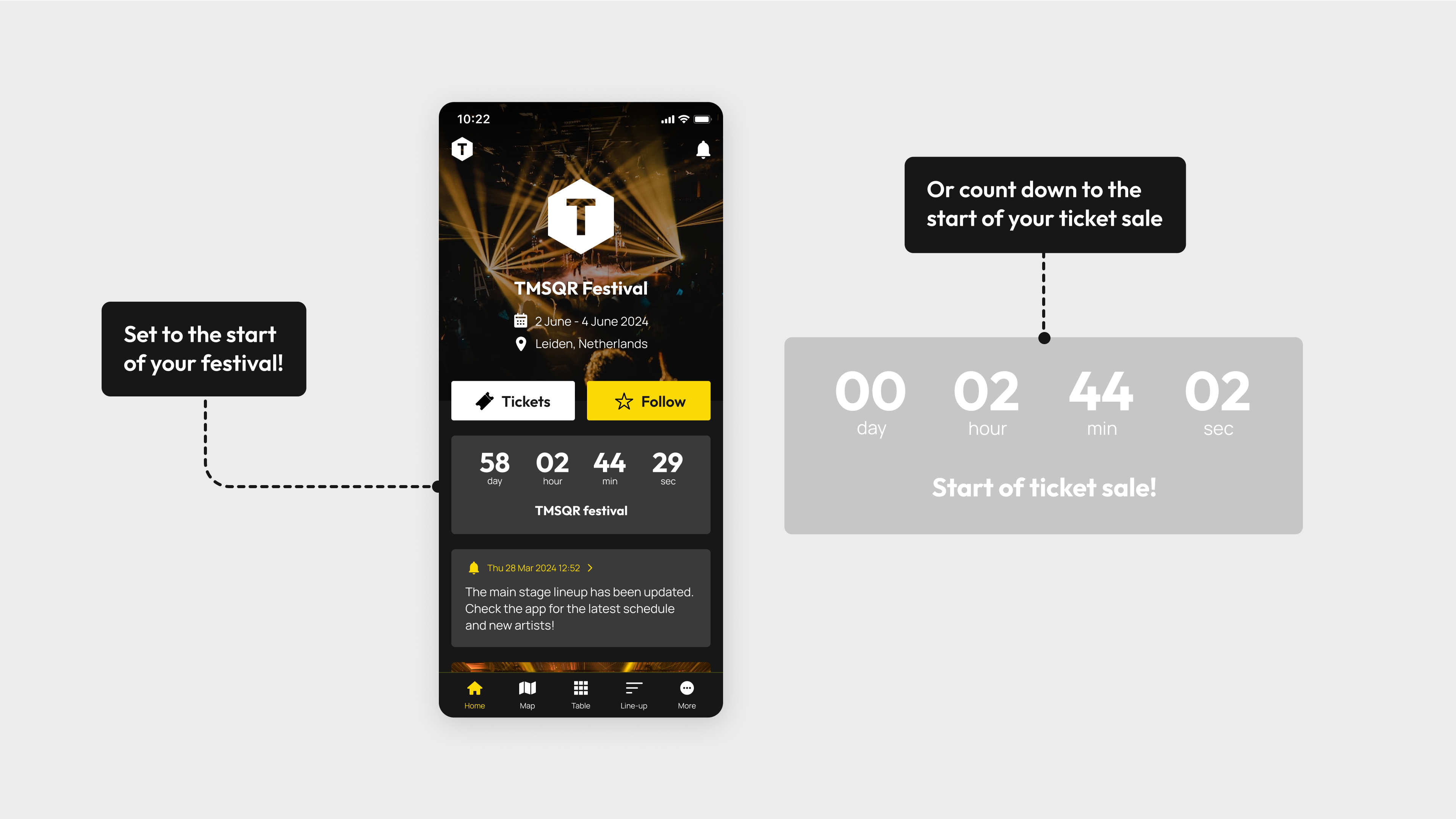
By highlighting the number of days or hours left until your festival event or the start of your ticket sale, you can create a sense of urgency and encourage app users to make purchasing decisions more quickly. Also the timer will create a sense of excitement!

2. Push messages

Push messages are an important functionality. That's why we provide you with multiple ways to display them in the app. In the top right corner, there is an overview of all sent push notifications. And on the home screen, you can also highlight the most recent push messages by placing them among other news and updates.

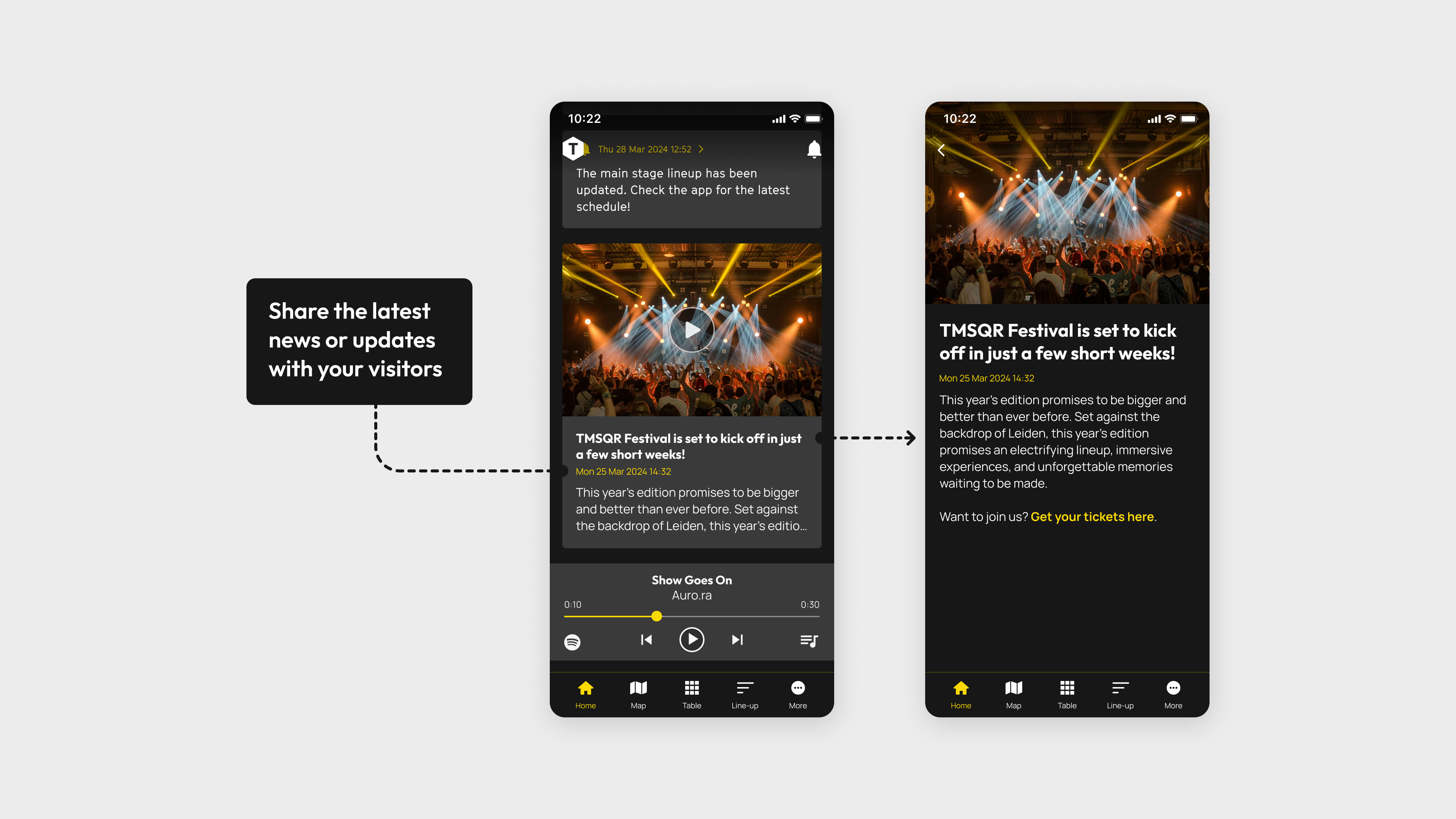
3. News items

This is typically a must-have feature that we are continuously developing; we are adding more options while keeping it understandable at the same time. You can create news items in various ways; with or without a picture, with or without a YouTube link, etc. And of course, you can link them to a push notification.

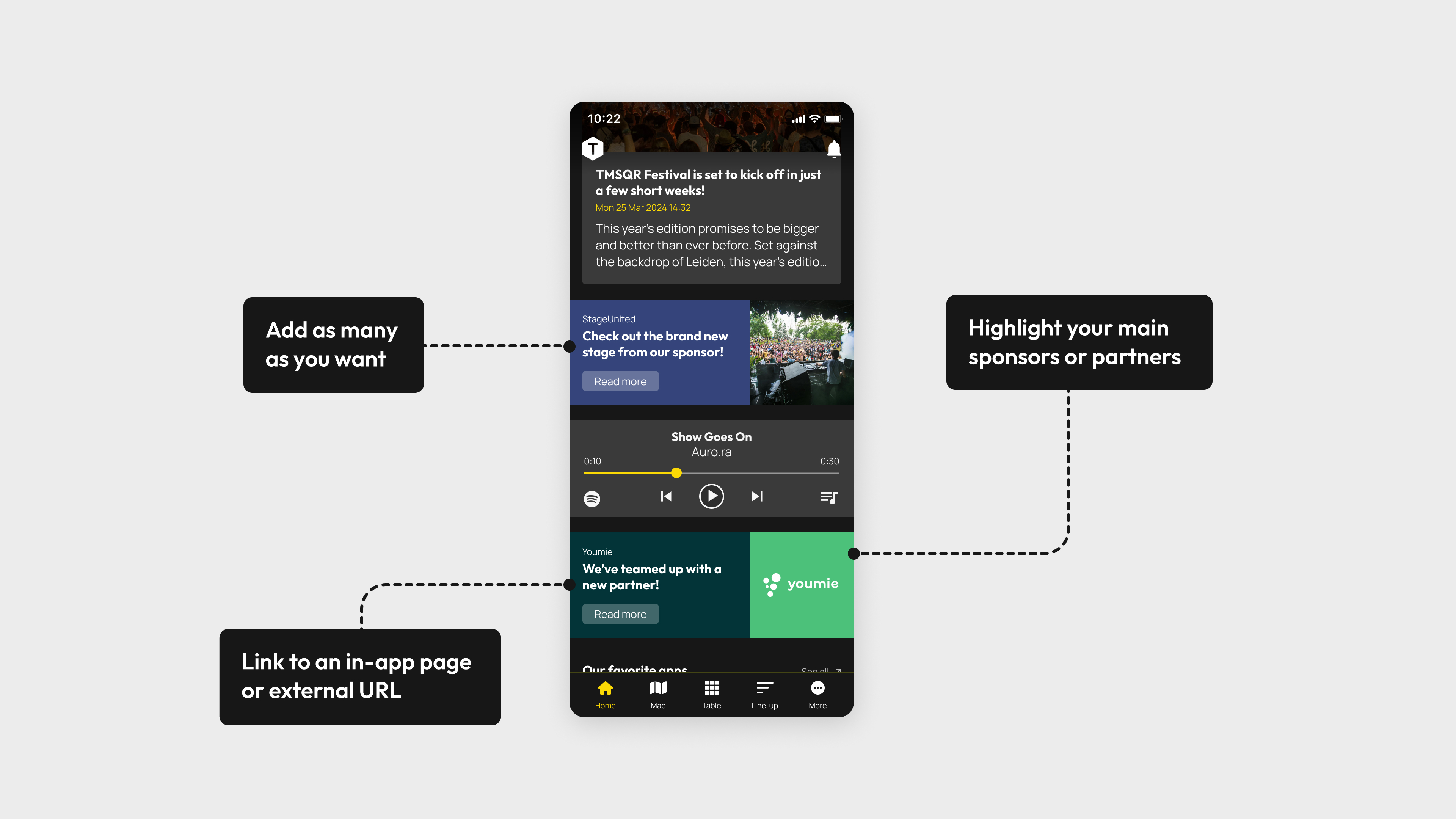
4. (Sponsor) Banners

Also very valuable is the ability to place banners at fixed positions on the home screen, among all the news updates, push messages, and so forth. These banners can serve as sponsor banners or can link to ticketing pages or other informative in-app pages or external webpages.

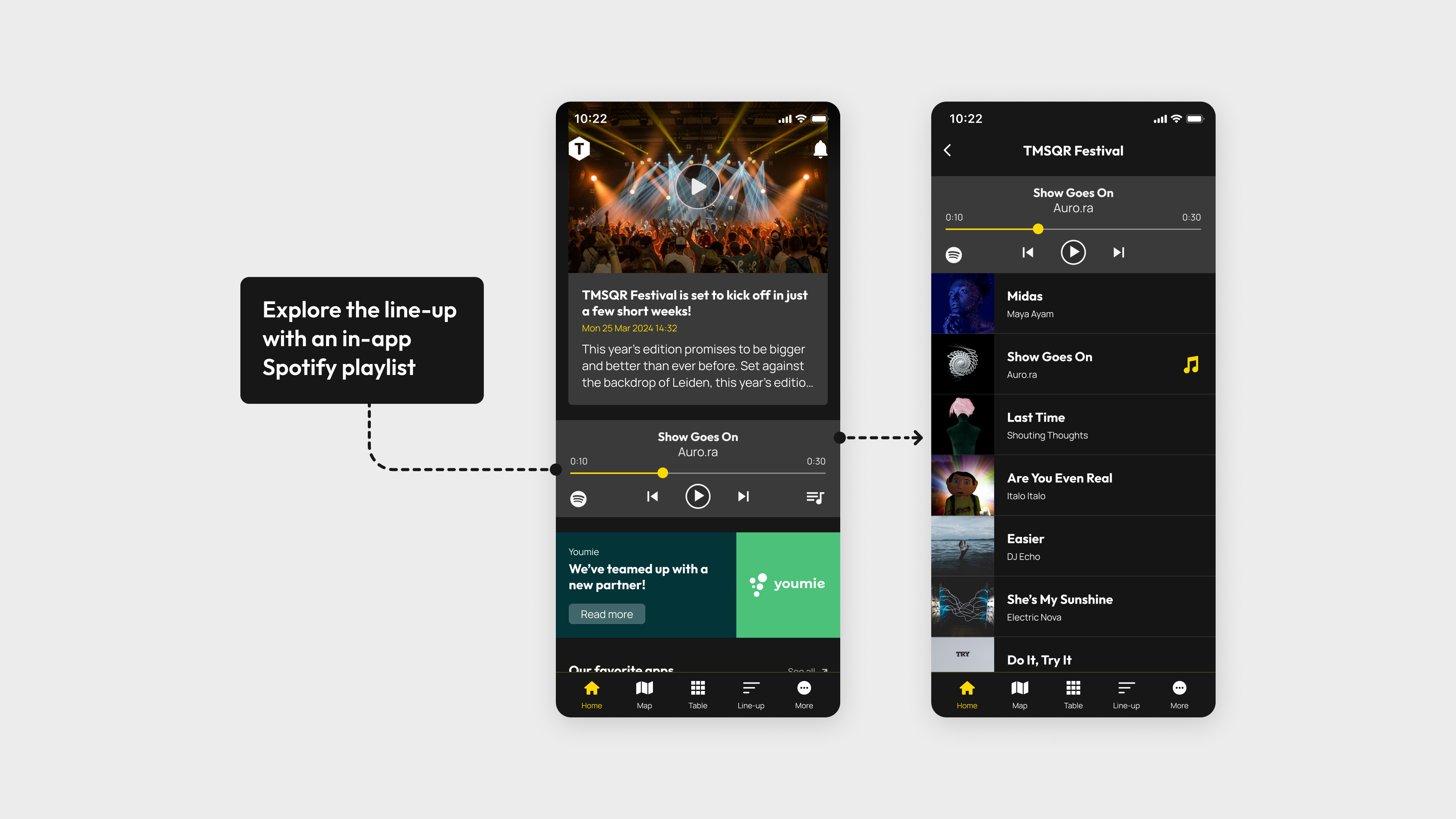
5. Spotify integration

You can also integrate Spotify on the home screen. App users can listen to your Spotify playlist while they scroll through the app, and they can also click through to the Spotify app to listen to more music from an artist.
 

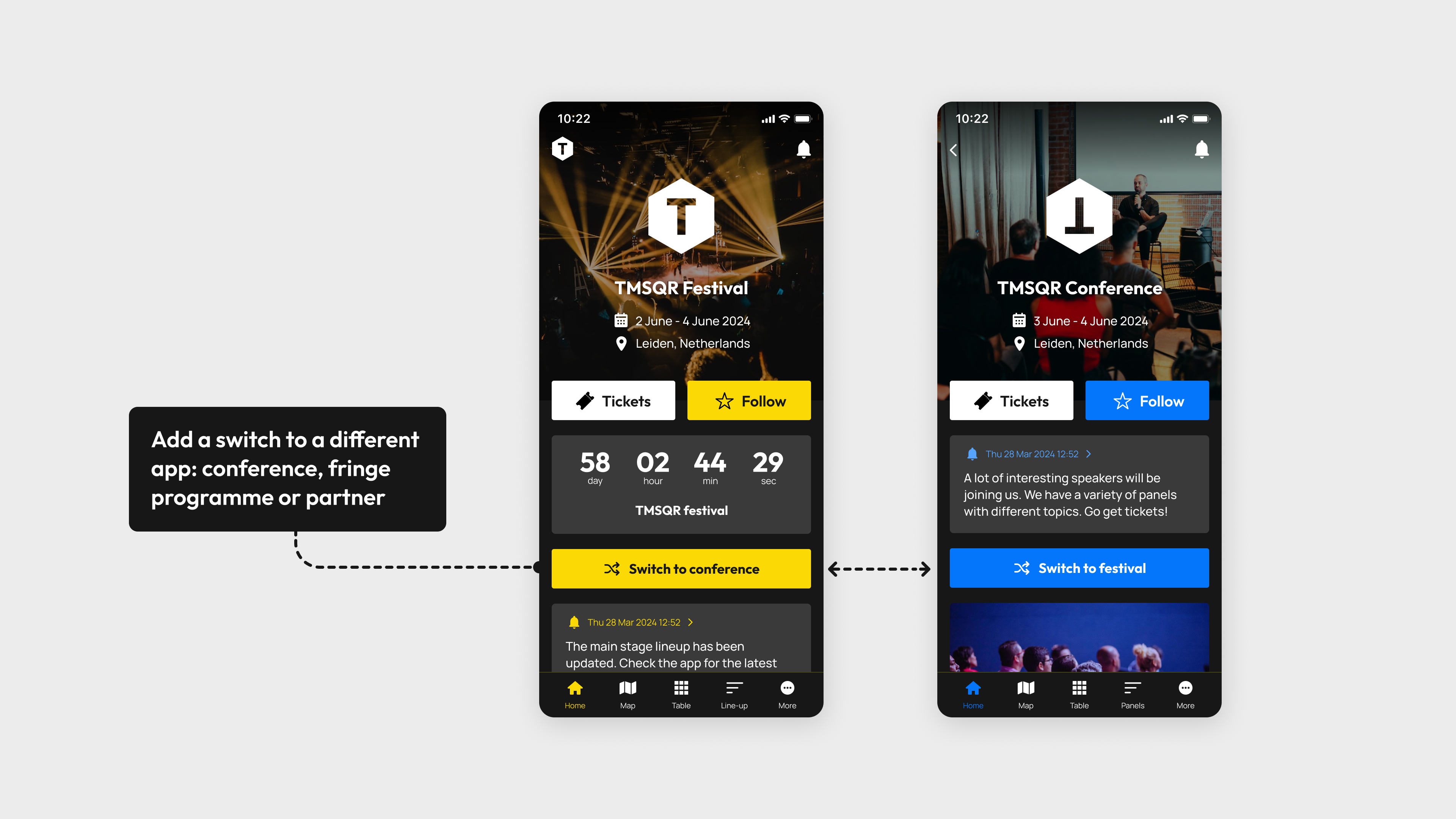
6. Switch to 'dual app'

More and more festivals working with TMSQR are using the 'Dual app' option, and the best place to promote this additional app, or conference app, is on the home screen. Ideal for you and your visitors; it stands out and visitors can switch quickly and easily.

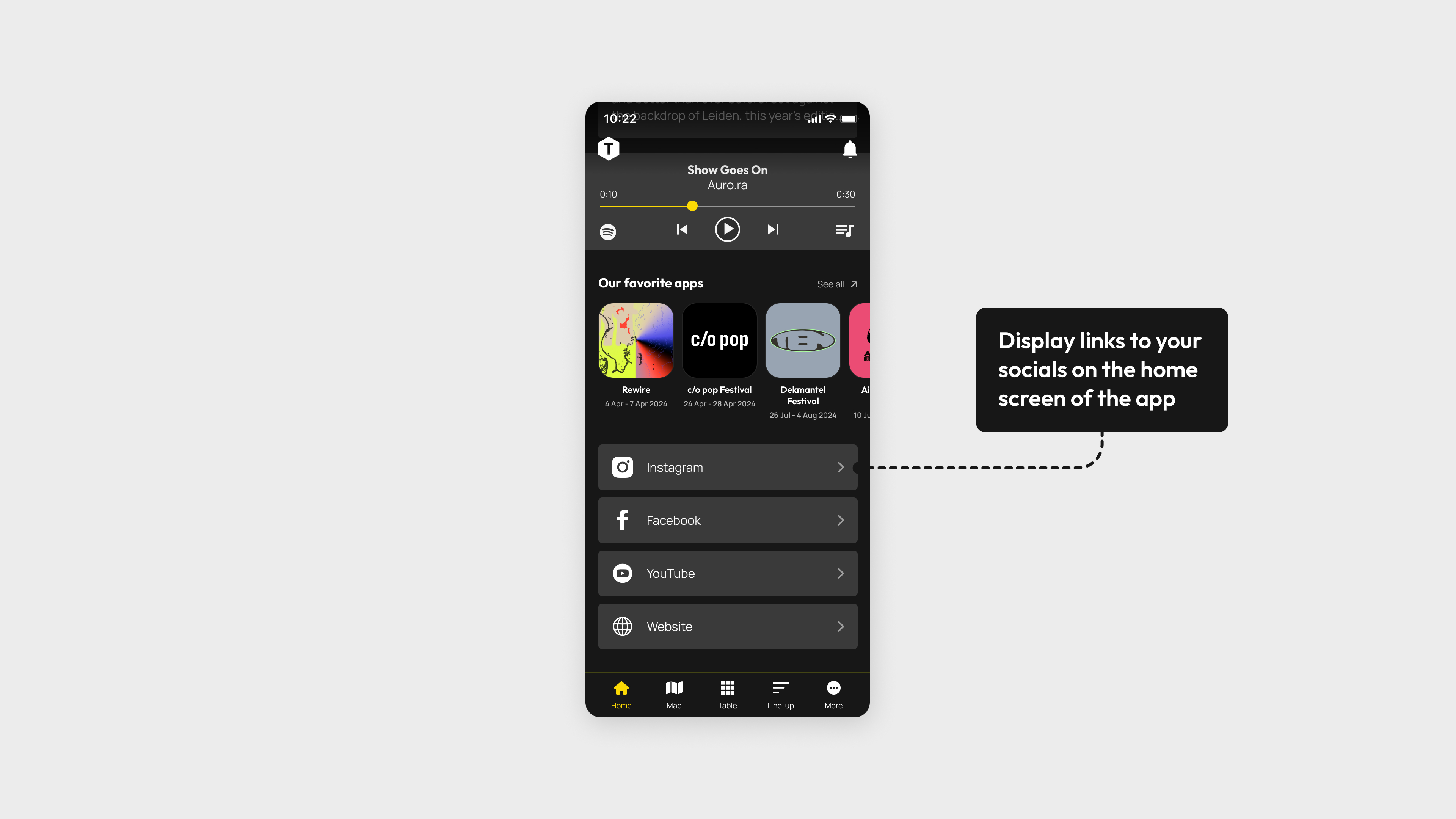
7. Social media links

In addition to maximizing app users, you likely want festival attendees to also engage with you on social media. Therefore you can choose to feature links to your social media profiles directly on the app's home screen, including Instagram, X, YouTube etc.

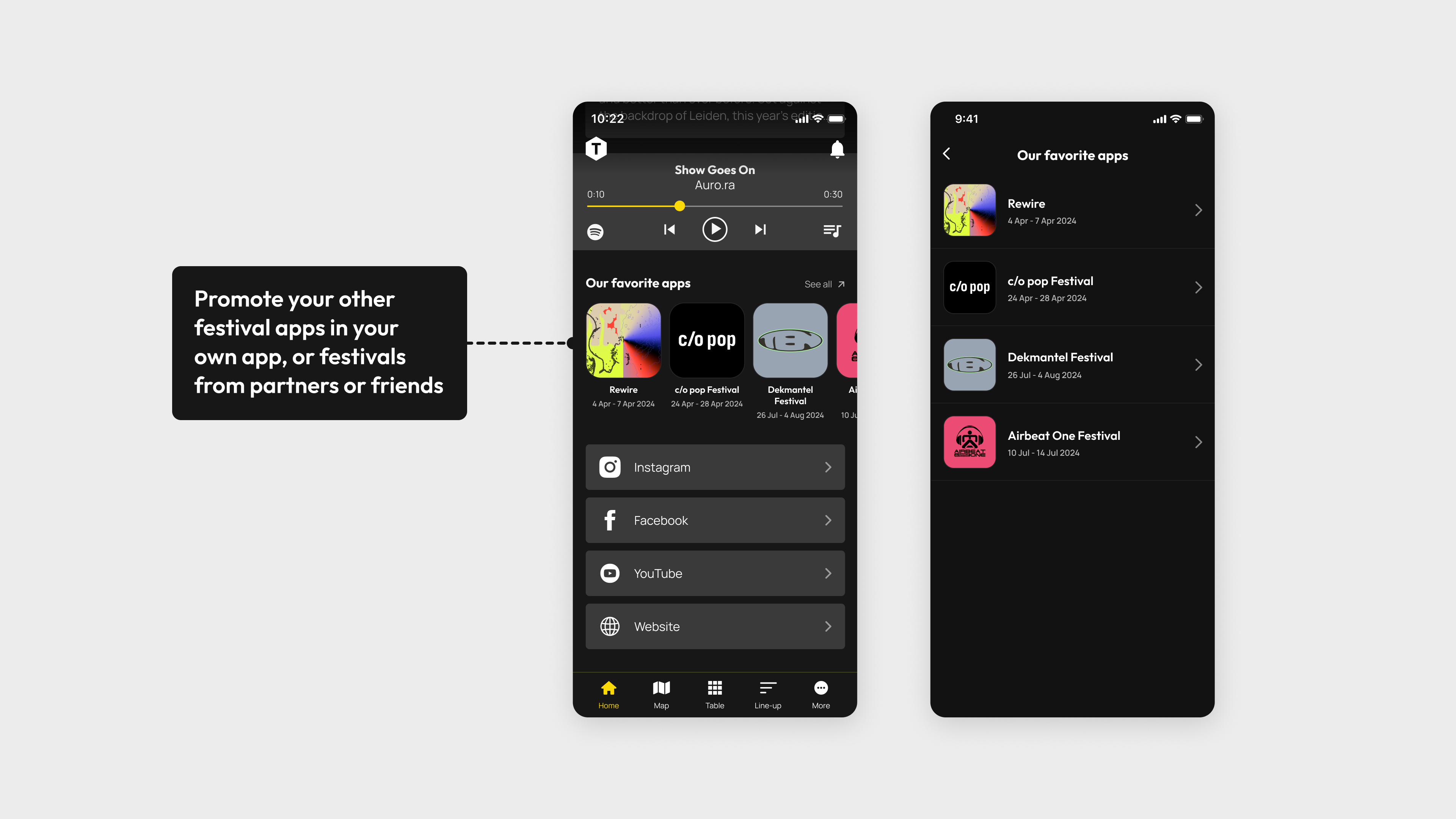
8. 'Recommended apps'

This is a unique feature that allows you to promote apps from friendly or partner festivals, or festivals in the same genre / city. This way festivals can help each other to strengthen the overall festival culture. Essentially, it's about making the pie bigger :-)

Are there features you're missing?

 Contact us and we would be happy to discuss how we can make the home screen, and the entire TMSQR app technology, as suitable as possible for your festival.